The M&L technology approach
Hotel PMS Hotspot Integration
IDNet synchronizes hotel PMS check-in and check-out information with the guest Wi-Fi infrastructure to create user accounts automatically, manage internet access and maintain connection records.

Automatically Connect Your Hotel PMS to the Guest Wi-Fi Network
IDNet Hotel PMS Hotspot Integration synchronizes accommodation information stored in the hotel management system with the guest internet infrastructure.
When a guest checks in, IDNet can read the required information from the PMS, such as name, surname, room number, arrival date and departure date. This information is used to prepare the guest's internet account automatically.
When the stay ends or check-out is completed, the internet account can be deactivated or removed according to the hotel's access policy.
This reduces the need for reception staff to create Wi-Fi users manually, distribute shared passwords and remove expired accounts one by one.
What Is PMS-Integrated Hotspot Management?
A PMS is the hotel-management platform used for reservations, rooms, guests, check-in and check-out operations.
A PMS-integrated hotspot system reads active accommodation records and creates the required guest internet accounts automatically.
Internet access becomes available after check-in and ends according to the check-out information.
This replaces shared Wi-Fi passwords with controlled access associated with the guest's accommodation record.
Automatic User Creation after Check-In
After a guest completes check-in, IDNet detects the new accommodation record in the PMS.
A hotspot account can be created using room number, guest name, telephone, date of birth, passport or other information selected by the hotel.
The account start time can match check-in, while its expiration can be linked to the check-out date.
The user can be transferred automatically to MikroTik Hotspot, UniFi, Ruijie Cloud or Grandstream guest-network infrastructure.
Automatic Access Termination after Check-Out
When check-out is completed in the PMS, IDNet can deactivate or delete the related hotspot account.
Access does not have to end immediately. The hotel can define an additional usage period.
For example, a guest waiting for airport transportation can continue using the internet for four hours after check-out.
When the defined period ends, the account is removed automatically and previous accommodation information can no longer be used for access.
Guest-Specific Access Instead of a Shared Wi-Fi Password
Shared hotel Wi-Fi passwords can be distributed outside the hotel and may continue to be used after a stay has ended.
With IDNet, each guest receives internet access based on the active accommodation record.
The guest can sign in using room number, surname, national identity number, passport, date of birth or telephone information selected by the hotel.
There is no need to change and distribute a common Wi-Fi password continuously.
Guest Sign-In Methods
- Room number and surname
- Room number and date of birth
- Turkish national identity number
- Passport number
- Mobile telephone number
- Guest-specific username and password
- PIN-protected registration
- Custom fields matched with the PMS record
Guest Device Remembering
The guest is redirected to the captive portal during the first connection and enters the required information.
After successful authentication, the device can be remembered. The guest can reconnect with the same device during the stay without repeatedly entering credentials.
This improves the guest experience while keeping access linked to an active accommodation record.
Supported Hotel PMS Platforms
- Elektra
- Elektra Web
- Livingsoft
- Amonra
- Hotech Web
- Atoz WEB
- Akınsoft
- Opera
- Mod
- Sentez
- Sistem Hotel
- Rmos
- Europroptel
- Butiksoft
- Odeon
- Sedna
- Athena
- Sispar
Custom integrations can also be developed for other hotel platforms according to their databases, APIs or data-export capabilities.
Elektra and Elektra Web Integration
Active accommodation records from Elektra and Elektra Web can be used to create hotspot users automatically.
Guests can be validated through room number, surname or other selected accommodation information.
Access can be terminated automatically after check-out, reducing manual work for reception personnel.
Opera PMS Integration
Active accommodation information stored in Opera PMS can be synchronized through an appropriate data-access method.
Guest internet accounts can be created automatically and controlled according to the departure date.
The Opera version, deployment type and supported data-access methods are reviewed before implementation.
Amonra PMS Integration
Room and guest information stored in Amonra can be synchronized with the IDNet guest Wi-Fi system.
A new internet account can be prepared after check-in and terminated after check-out.
The hotel can choose to create one user for each room or separate accounts for individual guests.
Hotech Web Integration
Active guest information from Hotech Web can be used to automate internet access.
Account validity can be matched with the accommodation dates and room information.
The data-transfer method is selected according to the Hotech version and hotel infrastructure.
Integration with Other PMS and Custom Hotel Applications
IDNet is not limited to predefined PMS platforms.
Custom integration can be developed when the hotel application provides accommodation data through a database view, API or file export.
Required fields are mapped to automate the creation, update and removal of guest internet accounts.
SQL View Integration
When the PMS database includes a dedicated SQL View, IDNet can read the required accommodation information from that view.
The view may include room number, guest name, arrival date, departure date and other required fields.
The PMS workflow remains unchanged because the integration only reads the required information.
API Integration
Active accommodation records can be collected through HTTP-based APIs offered by hotel platforms.
Secure connectivity can be implemented using API keys, tokens and other supported authorization methods.
New guests can be created, existing information updated and expired hotspot accounts deactivated.
XML and JSON Integration
IDNet can read XML or JSON information produced by the PMS.
Fields within the file or service are matched with IDNet user records.
The source is checked at defined intervals to add new users, update changed records and remove expired accounts.
Excel and CSV Integration
Excel and CSV files can be used when the hotel platform does not provide direct database or API access.
An active-accommodation list exported from the PMS can be processed by IDNet at scheduled intervals.
Room, guest and accommodation dates are mapped to manage hotspot users automatically.
Independent Database Architecture
IDNet can be configured to read only the accommodation information required for hotspot management instead of modifying critical PMS data.
Imported information is stored within IDNet's independent database and synchronized with the guest-network infrastructure from there.
This helps protect PMS data integrity and separates hotspot operations from the hotel-management database.
Fast Data Synchronization
The synchronization period can be configured according to hotel requirements.
Active accommodation records can be checked at intervals as short as one minute.
New check-ins are transferred quickly, while check-out and accommodation changes are updated through the same synchronization service.
Automatic Background Operation
The IDNet PMS integration service operates automatically in the background.
After the initial configuration, continuous intervention by reception or technical personnel is not required.
The service checks the PMS periodically and updates guest accounts automatically.
MikroTik Hotspot Integration
IDNet can integrate with the built-in MikroTik Hotspot infrastructure.
Active guests obtained from the PMS can be transferred to MikroTik Hotspot automatically.
After authentication, internet access is provided through MikroTik and connection records can be generated.
Speed limits, access duration and network policies can be applied through MikroTik profiles and firewall rules.
UniFi Guest-Network Integration
IDNet can provide captive-portal and PMS integration for hotels using UniFi Access Points without replacing the existing firewall.
Guests are authenticated through information received from the PMS.
After successful authentication, internet access is authorized on the UniFi guest network.
Ruijie Cloud Integration
Hotels using Ruijie or Reyee Access Points can automate guest authorization through PMS information.
Guests validated through the IDNet portal can be authorized on the Ruijie Cloud network.
An external portal integration can be implemented without replacing the existing firewall.
Grandstream GWN and GDMS Cloud Integration
IDNet can operate with Grandstream GWN Cloud and GDMS Cloud external captive-portal infrastructures.
Guests can be authenticated through accommodation information stored in the PMS.
Controlled internet access is then provided through the Grandstream guest network.
Logging for 5651-Oriented Requirements
IDNet helps associate guest identity or accommodation information with internet-session records.
Connection date, session duration, IP and network-device information can be stored according to the capabilities of the selected infrastructure.
Records can remain on a local hotel computer or server.
Current technical and legal requirements should be reviewed according to the organization's network and service model. Legal and information-security guidance is recommended for retention, timestamping, signing and log scope.
On-Premise Operation
IDNet can run on a Windows-based computer or server inside the hotel's local network.
Guest information and connection records can remain on infrastructure controlled by the hotel.
When the PMS, IDNet and network equipment operate on the same local network, essential synchronization and user-management operations can continue without external cloud dependency.
No Mandatory Annual License
IDNet can be provided through an on-premise model without mandatory annual license renewal.
Because the software operates on the hotel's own infrastructure, it does not require per-user or recurring cloud-subscription licensing.
Installation, hardware, custom integration and additional development requirements are evaluated separately.
No Per-User Licensing Limit
IDNet does not require per-user licensing based on the number of active or total guests.
The same user-management model can support small guesthouses and high-capacity hotels.
System capacity is planned according to server performance, database size, network infrastructure and log-storage requirements.
Customizable Captive Portal
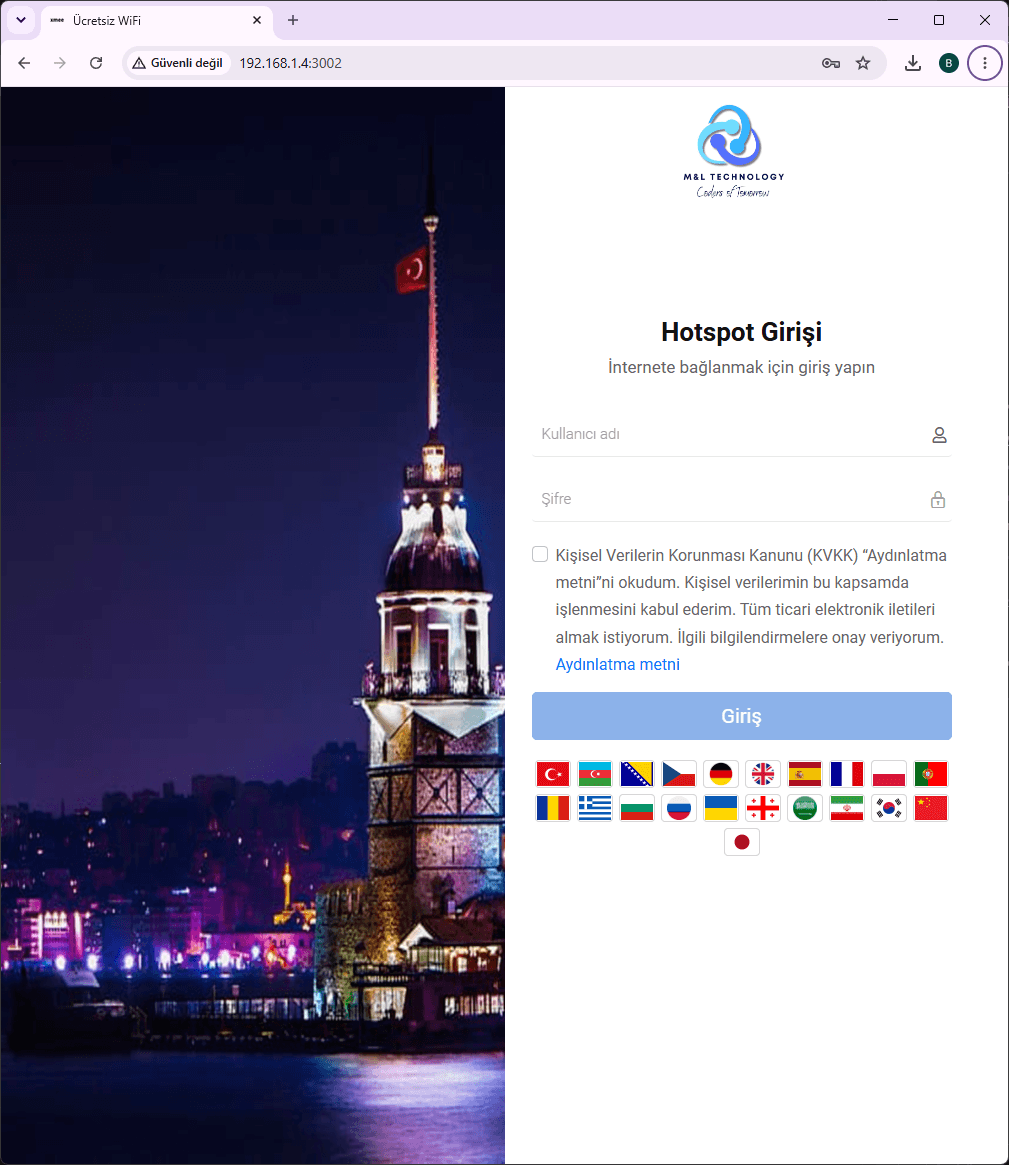
The captive portal displayed when guests connect to Wi-Fi can be customized according to the hotel's corporate identity.
The hotel logo, background images, information, terms, contact details and campaign content can be included.
A responsive interface can be prepared for telephones, tablets and computers.
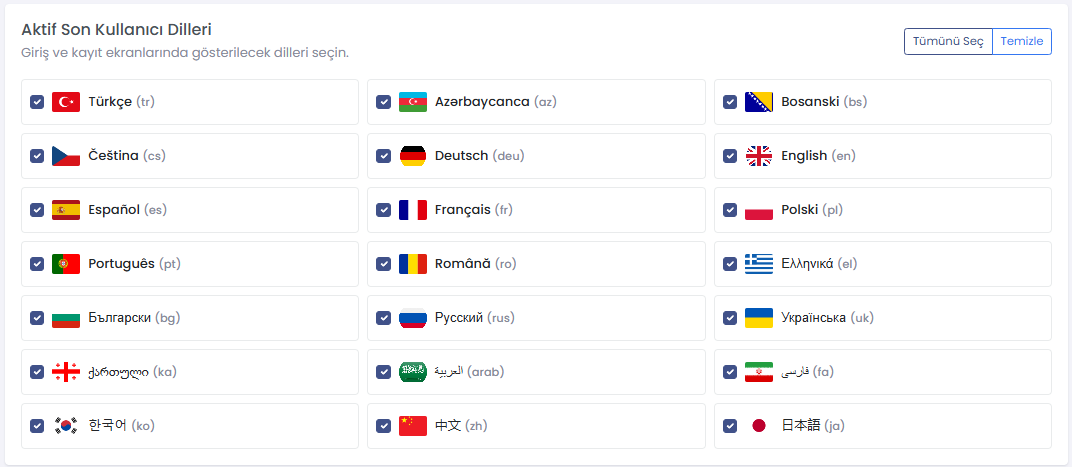
Multiple languages can be offered for international guests.
Manage Hotel and Restaurant Guests Together
A hotel may also operate restaurants, cafes, spas, beaches and event areas serving external customers.
Hotel guests can sign in through PMS records, while external customers can use identity, SMS, telephone or digital-number verification.
Both user groups can be managed through the same software with different authentication workflows.
Identity-Based Self Registration
Guests without PMS records can use a Turkish national identity verification workflow in restaurants, cafes and event facilities.
The user can enter the required information and create an internet account independently.
A PIN can be required to prevent unauthorized registration from outside the premises.
SMS-Based Self Registration
A verification code can be sent to the guest's mobile telephone number.
IDNet can integrate with different SMS providers that offer APIs.
This workflow is useful for restaurant, visitor and event users who do not have PMS accommodation records.
Digital Telephone Verification
A user can verify the telephone number by calling a digital landline assigned to the business.
Verification can be completed by directing the call to busy status without requiring an IP PBX.
This method provides an alternative to SMS-based registration.
Manual Guest Account Creation
Manual accounts can be created through the management interface in addition to PMS synchronization.
Reception staff can define room, username, password and validity period for temporary access.
An automatic deletion or deactivation time can be assigned to the account.
Room Changes and Extended Stays
When a guest changes room or extends the stay, updated PMS information can be transferred to IDNet.
The existing account can be updated without creating a duplicate user.
Internet access can continue according to the revised departure date.
Multiple Guests and Devices
For rooms containing multiple guests, the hotel can create separate accounts for each person or use one room-based account.
The number of telephones, tablets and computers connected simultaneously can be limited according to the network infrastructure.
Custom policies can be prepared for families, groups and conference reservations.
Guest Privacy and Data Security
The integration can be restricted to reading only the PMS fields required for internet-user management.
Financial data, payment details and reservation notes are not required for hotspot access.
IDNet's independent database separates hotspot-user operations from the hotel PMS database.
Personal-data access should be restricted to authorized users, while retention and deletion policies should follow applicable privacy requirements.
Synchronization and Fault Monitoring
Technical records can be created when the PMS source cannot be reached or synchronization fails.
The last successful synchronization, transferred-user quantity and error details can be displayed.
When the PMS database changes for a new season or accounting period, the data source can be configured again.
Example Elektra and MikroTik Application
After a guest checks in through Elektra PMS, IDNet reads the accommodation record.
IDNet creates a MikroTik Hotspot user using room, surname and check-out information.
The guest connects to Wi-Fi and enters the room number and surname on the captive portal.
When the information matches, internet access is granted and the device can be remembered for the duration of the stay.
After check-out, the account is deleted automatically according to the hotel's configured delay.
Example Opera and UniFi Application
Active accommodation records from Opera PMS are obtained through the IDNet integration service.
When the guest connects through a UniFi Access Point, the user is redirected to the IDNet captive portal.
After validating room and guest information, internet access is authorized on the UniFi network.
When check-out is recorded in the PMS, access is terminated automatically.
Example Combined Hotel and Restaurant Use
Hotel guests receive automatic access through PMS records, while restaurant visitors use telephone or identity self-registration.
Both groups are managed through the same guest-network platform with separate authentication and access policies.
Hotel accounts expire according to check-out, while restaurant accounts expire according to a predefined hourly period.
Frequently Asked Questions
What does PMS integration do?
It creates hotspot users automatically from active accommodation records. Access begins after check-in and ends according to check-out information.
Does reception need to provide a Wi-Fi password?
No. Guests can sign in through the captive portal using room and accommodation information, eliminating the need for a shared password.
Which hotel platforms are supported?
IDNet can work with Elektra, Elektra Web, Livingsoft, Amonra, Hotech Web, Atoz WEB, Akınsoft, Opera, Mod, Sentez, Sistem Hotel, Rmos, Europroptel, Butiksoft, Odeon, Sedna, Athena and Sispar. Integrations can also be developed through SQL View, API, XML, JSON, Excel and CSV.
Does it work with platforms other than MikroTik?
Yes. IDNet can integrate with MikroTik, UniFi, Ruijie Cloud and Grandstream GWN or GDMS Cloud captive-portal infrastructures.
Does internet access end immediately after check-out?
The hotel determines the rule. Access can end immediately or after an additional period such as four hours.
Does the guest need to log in repeatedly?
When device remembering is enabled, the guest can reconnect with the same device during the stay without entering the information again.
Does IDNet modify PMS records?
IDNet can be configured to read only the required accommodation information. Hotspot users are managed through IDNet's independent database and the network platform.
Is there an annual or per-user license?
IDNet can be supplied through an on-premise model without mandatory annual renewal or per-user licensing. Custom integration and project services are evaluated separately.
Measurable Success Indicators
- Reduced manual Wi-Fi-account creation by reception
- Automatic account creation after check-in
- Automatic account termination after check-out
- Elimination of shared Wi-Fi-password distribution
- Remembering guest devices after the first login
- Regular synchronization between PMS and hotspot records
- Support for MikroTik, UniFi, Ruijie and Grandstream networks
- Association of guest identity with connection records
- Management of hotel and restaurant guests through one platform
- No mandatory per-user licensing costs
- Ability to keep data inside the local hotel network
- Improved guest internet experience
Why IDNet Hotel PMS Hotspot Integration?
IDNet is more than a captive portal or Wi-Fi-password manager. It combines PMS data, network infrastructure, user authentication and logging within one automated workflow.
The process begins at check-in and continues through account creation, guest validation, device remembering and automatic termination after check-out.
On-premise operation, an independent database and support for different PMS and network platforms allow integration without replacing the hotel's existing systems.
A PMS Hotspot Project Customized for Your Hotel
Every hotel uses different PMS software, network devices, authentication methods and guest policies.
Before implementation, the PMS product and version, data-access method, room quantity, guest network, MikroTik or Access Point infrastructure and logging requirements are analyzed.
A pilot can begin with test rooms or a limited user group. After check-in, account creation, captive-portal authentication, device remembering and check-out workflows are validated, the system can be deployed across the hotel.
For detailed information about IDNet Hotel PMS Hotspot Integration, visit the official IDNet website.
Community
Comments and questions
Nothing has been published yet.